

Let’s be honest for a second. In the world of FiveM, the most used feature isn't your custom cars, your MLOs, or your clothing pack. It’s the inventory. Every time a player eats, reloads, trades, or changes clothes, they are pressing TAB.
Yet, for years, server owners have settled for the "Default Look"—a functional, but clinically boring grid that looks more like an Excel spreadsheet than a modern game interface.
If you are looking for the best ox_inventory custom UI for roleplay, you need to stop thinking about "storage" and start thinking about "interaction." Here is why the Ox Inventory Redesign by Overflow5m, is changing the meta, and how it answers the most searched questions in the FiveM development community.
1. "Can I take off my shirt without a command?" (The Integrated Clothing Menu)
Roleplay is about flow. Stopping to type /shirt or navigating a separate radial menu breaks that flow.
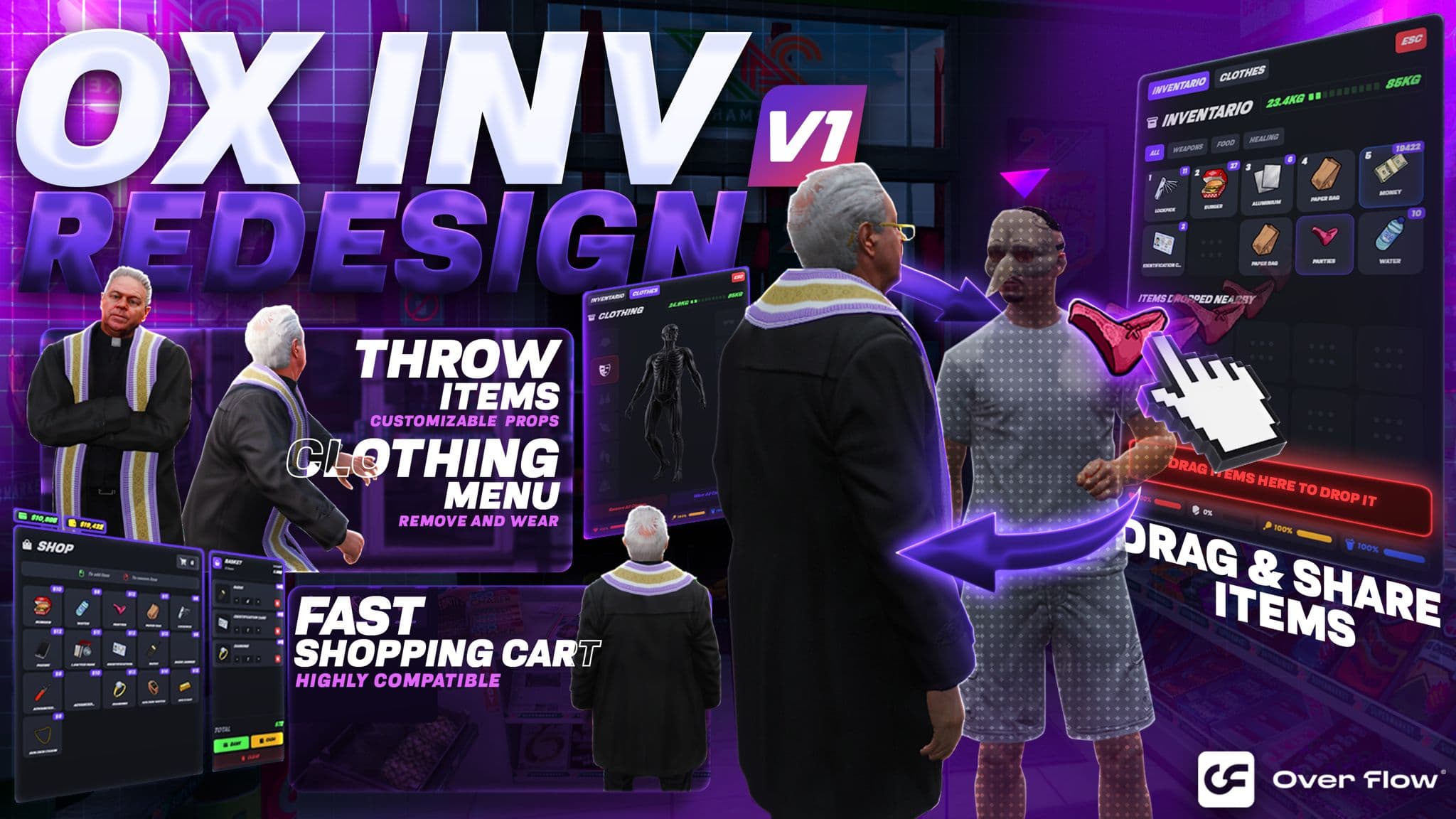
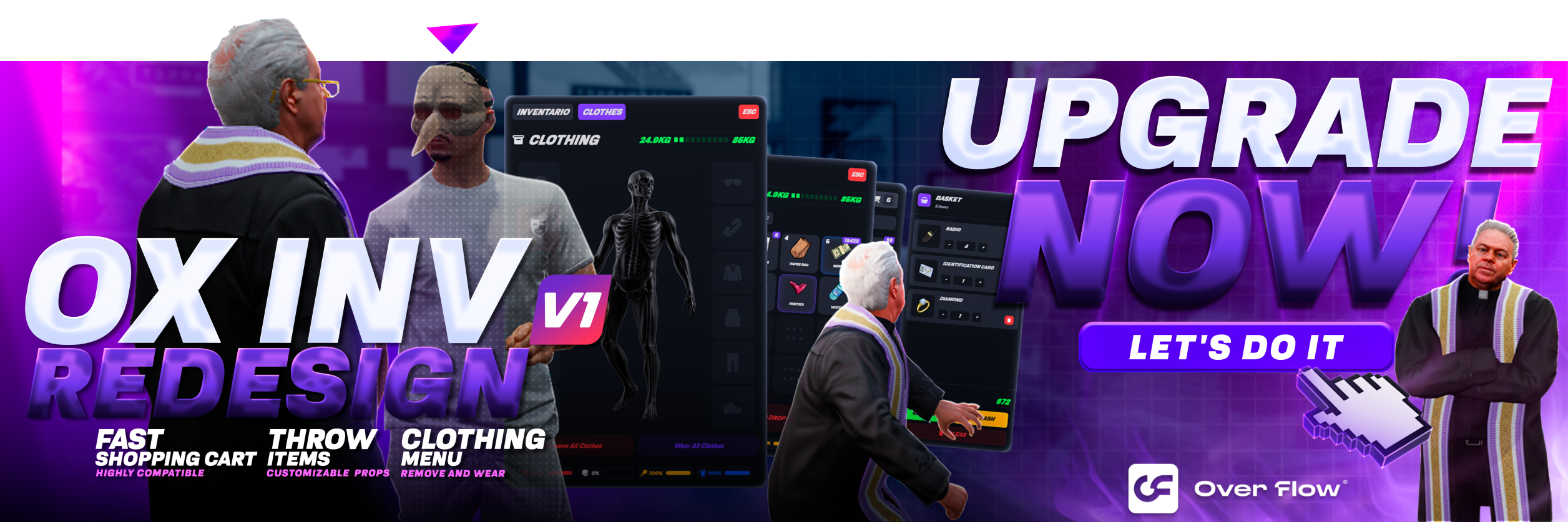
We solved the "Ox Inventory Clothing menu" dilemma by integrating it directly into the inventory UI.
- One-Click Toggles: Buttons for Hat, Mask, Glasses, Shirt, Pants, and Shoes are right next to your character model.
- Visual Feedback: The buttons light up when an item is equipped.
- Seamlessness: No extra dependencies. It just works.
2. "Stop giving items via menus!" (Physics-Based Throwing)
Nothing ruins a tense standoff like saying, "Wait, let me drag this ammo to your ID..."
We introduced "Ox Inventory throw" mechanics to bring physics back into the game.
- Tactical Toss: Pinned down? Throw a magazine over a car to your teammate.
- Drag-to-Give: Instead of typing an ID, simply drag the item onto the player standing in front of you.
- Realism: The item travels through the air with a visible trajectory and lands as a physical object. This isn't just a script; it's a gameplay mechanic.
3. "My icons look terrible..." (The Secret Weapon)
You can have the best Ox Inventory redesign in the world, but if your item images are pixelated, stretched, or mismatched, your server will look amateur.
People often search for "Images for ox inventory" or "gallery images for ox inventory" hoping to find a zip file of stolen icons. Don't do that.
We built the ultimate solution: The Overflow5M Item Image Creator.
- Consistency: Create icons that match perfectly with our Redesign's aesthetic.
- High Resolution: Generate crisp, 4K-ready images for weapons, food, and custom items.
- Free & Pro: Whether you need a simple burger or a complex weapon attachment, our tool ensures your "Inventory Gallery" looks like a AAA studio made it.
4. "Make Every Item Count" (The Rarity Factor)
One of the most specific features server owners look for is "Ox Inventory rarity." Why? Because visual feedback defines value.
In a standard server, a rusty pistol looks exactly the same as a "One-of-One" exclusive weapon. That kills the excitement. Our redesign introduces a sophisticated Visual Tier System.
- Distinct Tiers: From Common (Grey) to Legendary (Gold) and Exotic (Red).
- The "Glow" Effect: High-value items pulse and shine directly in the slot.
- Why it matters: It instantly communicates value. When a player opens a crate and sees that golden glow, they know they've found something worth keeping, trading, or fighting for. It turns a simple "loot" event into a high-stakes moment.
5. "Stop Using Menus for everything" (The Physics Throwing System)
Nothing breaks immersion like stopping in the middle of a firefight to navigate a menu just to give ammo to a friend. We asked: "Why can't I just toss it?"
We introduced "Ox Inventory throw" mechanics to bring actual physics back into the gameplay loop.
- Tactical Toss: Pinned down behind cover? Physically throw a magazine, a medkit, or a weapon over a car to your teammate.
- Visual Trajectories: Hold to aim, see the arc, and release. The item travels through the air and lands as a physical object in the world.
- Why it matters: It turns a static "inventory action" into a dynamic skill shot. It’s faster, cooler, and infinitely more immersive than a text menu.
6. "Fluid Interaction" (The Drag-to-Give Mechanic)
Roleplay happens between characters, not between user interfaces. The old way of asking for a "Player ID" to transfer an item is obsolete.
Our Drag-to-Give system creates a seamless bridge between your inventory and the 3D world.
- Intuitive Transfer: Simply grab an item icon and drag it directly onto the player character standing in front of you.
- Smart Detection: The script detects the player in your field of view and highlights them, confirming the transfer target instantly.
- No Commands: Forget typing
/giveor asking "What's your ID?". If you can see them, you can hand it to them.
The Verdict?
Your inventory is the heart of your server. A clunky UI frustrates players; a premium UI immerses them.
If you are ready to upgrade from the "Spreadsheet Era" to a fully interactive, physics-based, and RPG-inspired experience, the Ox Inventory Redesign is the only choice.
Ready to overhaul your UI? 👉🏼 https://overflow5m.com/scripts/ox-inventory-redesign