Enjoy any of our products at a 30% discount!-30%

Overflow

Enjoy any of our products at a 30% discount!-30%
Overflow
A premium stash and storage system your players will actually use. Place custom stashes in-game with configurable access, weight and slots. Works with ESX, QBCore and Qbox.
Transform your FiveM server with our premium stash system. Built for performance and packed with features, this script delivers a complete storage experience your players will actually use.
Whether you're running an ESX, QBCore, or Qbox server, our stash system integrates seamlessly with your existing setup. Advanced customization options let you tailor every stash, access rule, and interaction to match your server's unique style.
Everything is created and placed from inside the game, so your admins never open a config file again. With regular updates, dedicated support, and comprehensive documentation, you'll have everything you need to get started in minutes.
All languages supported
 English
 Spanish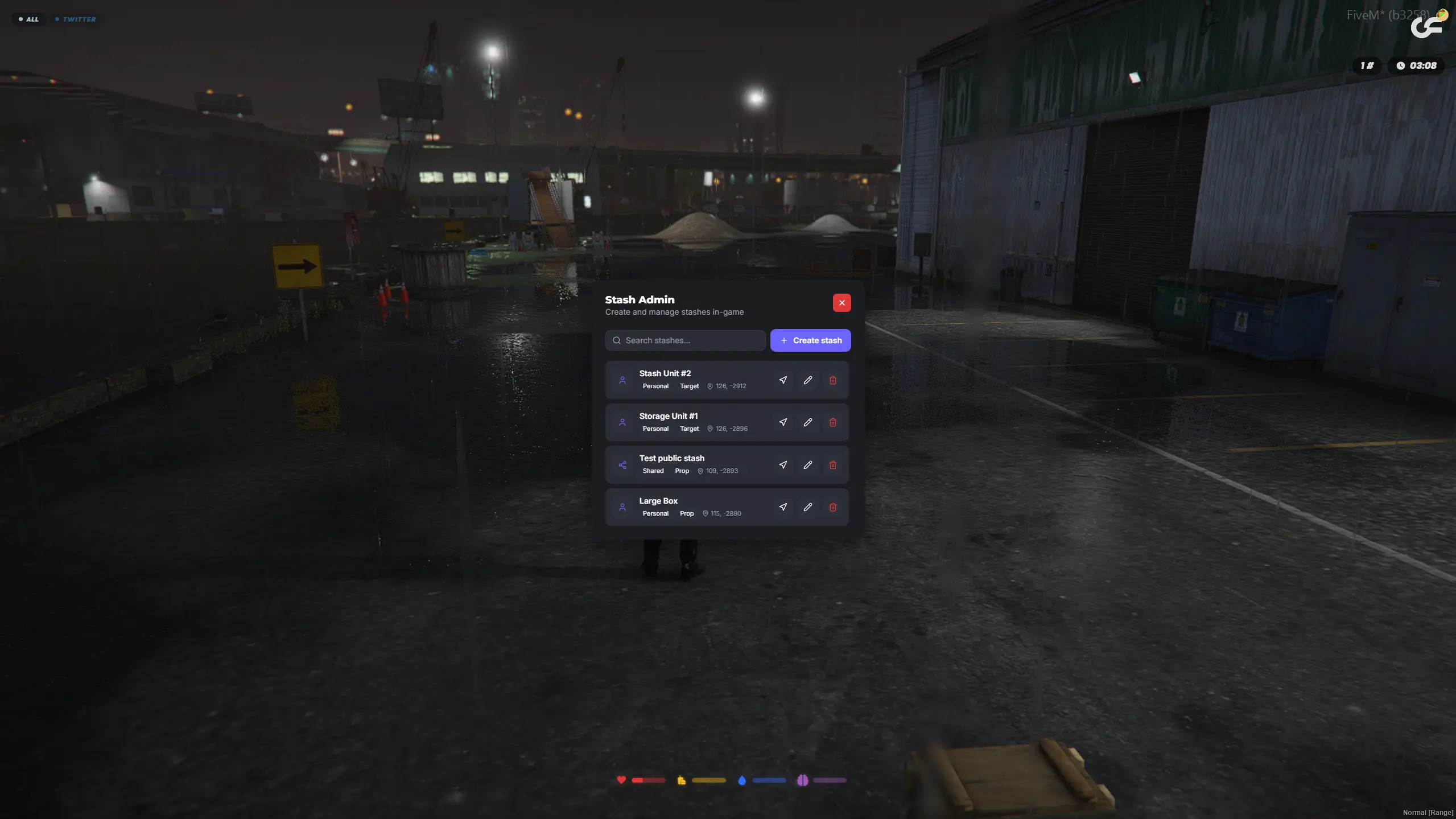
Every other FiveM stash script asks you to collect coordinates, paste them into a config, name the stash and restart. The Stash Admin panel does all of it in game: search what already exists, hit Create stash, and it saves live. Each entry shows its access type, its interaction style and its coordinates, with buttons to teleport to it, edit it or delete it.
That is the difference between adding one stash and running a server with fifty of them.
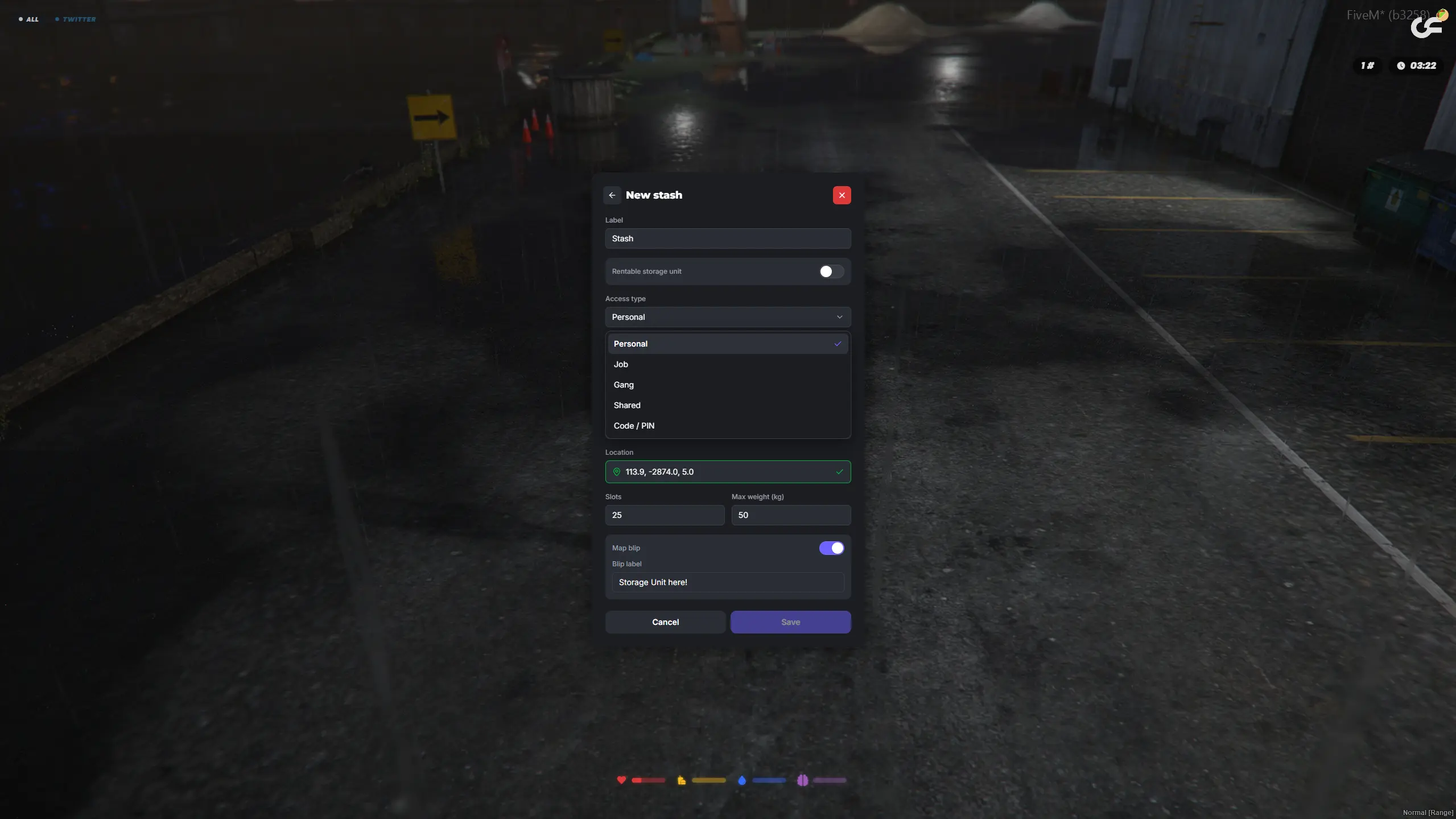
A stash is only interesting if the right people can open it and the wrong people cannot. Access comes in five types: Personal for one player, Job for everyone employed somewhere, Gang for a crew, Shared with specific players you choose, and Code / PIN for anyone who knows the number.
Set the slot count and the weight limit per stash, drop the exact coordinates from where you are standing, and add a map blip with your own label if players are meant to find it.
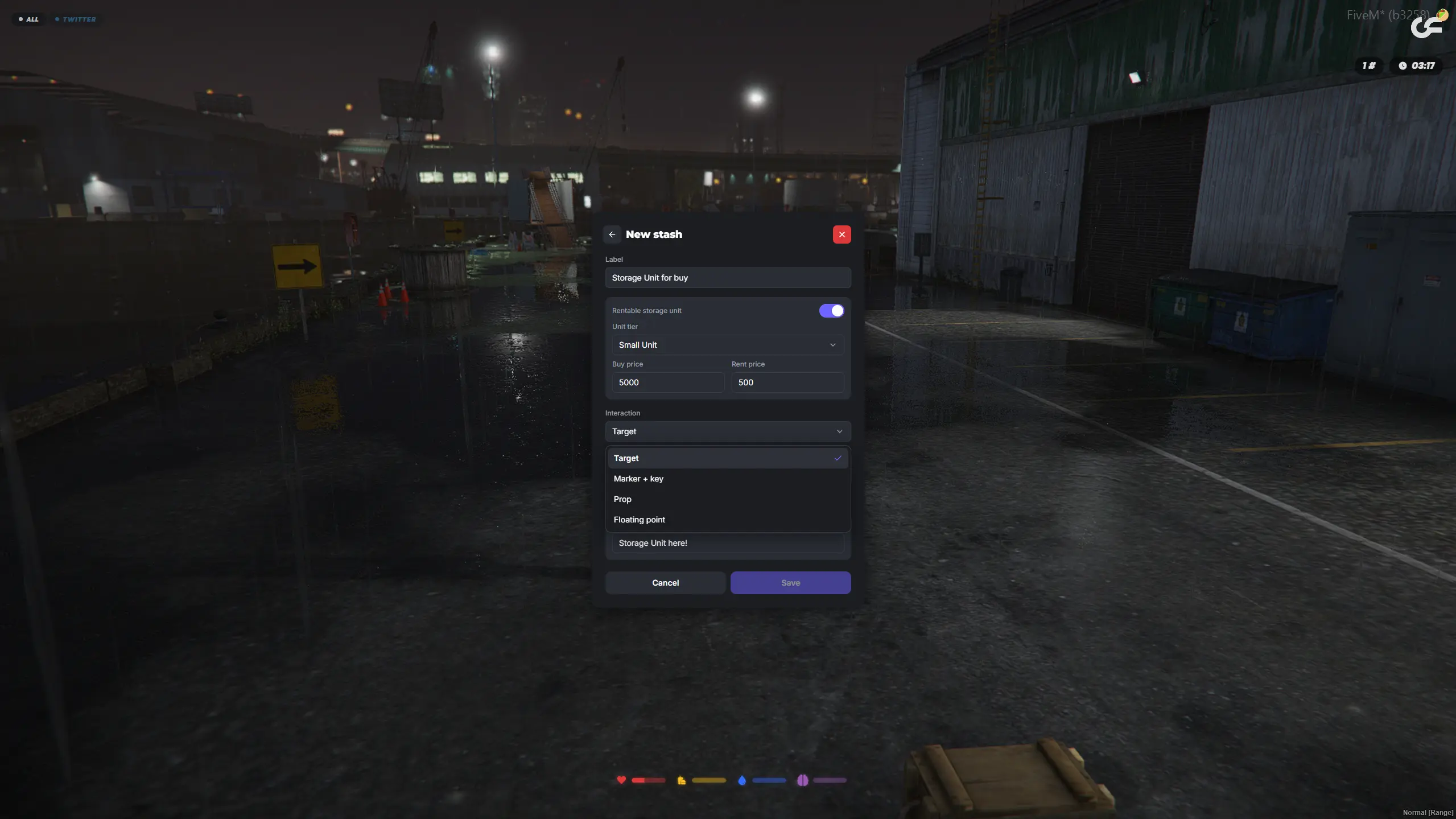
Flag a stash as a rentable storage unit, pick a tier, and set both a buy price and a rent price. Players then manage what they hold from a Storage Units screen, opening each unit or handing out access to it.
Because units are owned rather than hardcoded, storage stops being scenery and becomes something players pay for, upgrade and argue over. Choose how they reach it too: ox_target, a marker with a keypress, a physical prop, or a floating point.
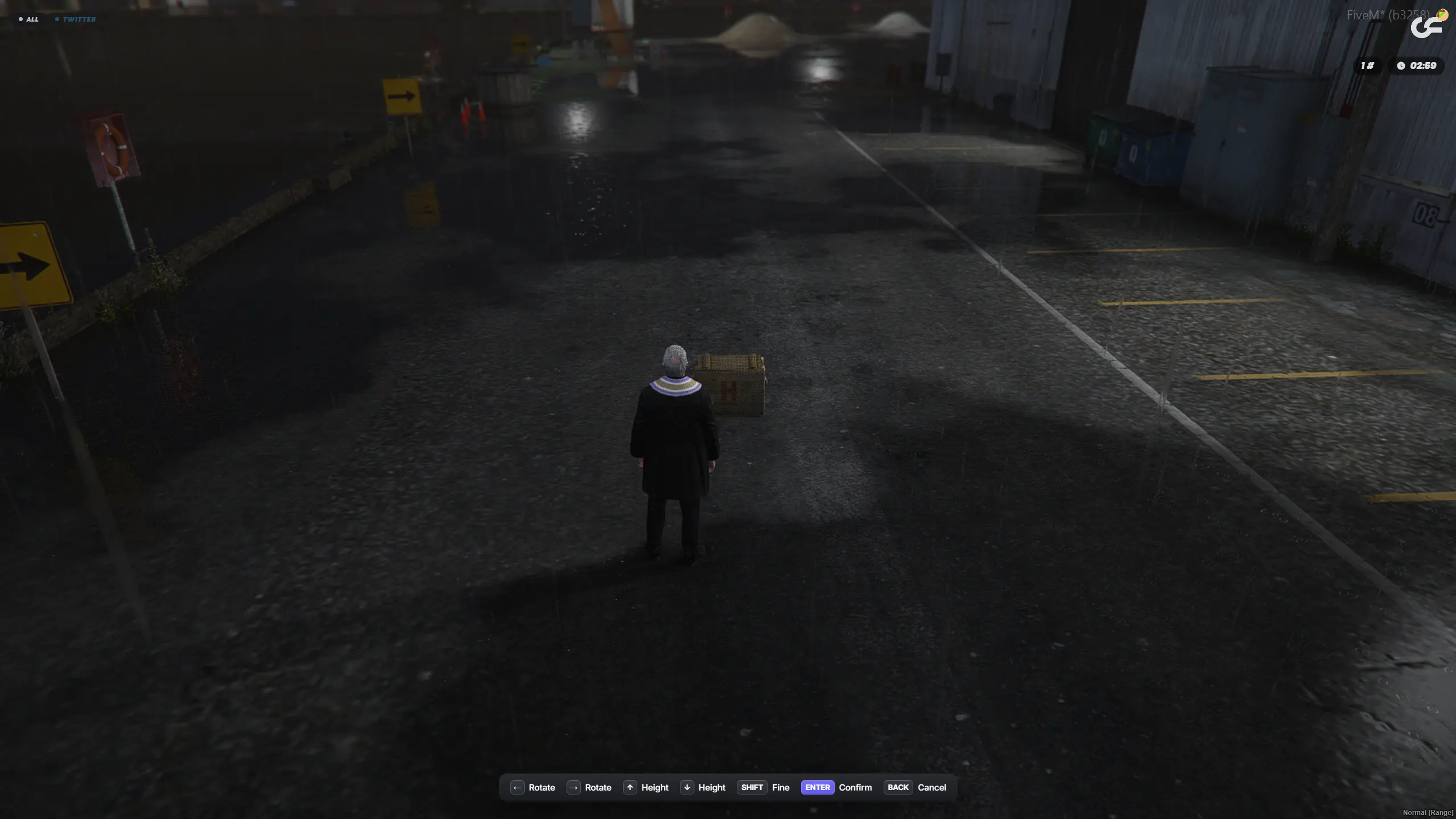
Hand a player a small or medium storage crate as an inventory item and they can place it anywhere in the world. Placement runs a proper preview: rotate it with the arrow keys, raise or lower it, hold Shift for fine adjustment, then confirm. Pick the crate back up and the item returns to their inventory with everything still inside.
Useful for stash houses, drug runs, moving contraband, or anything where the storage needs to be somewhere it was not yesterday.
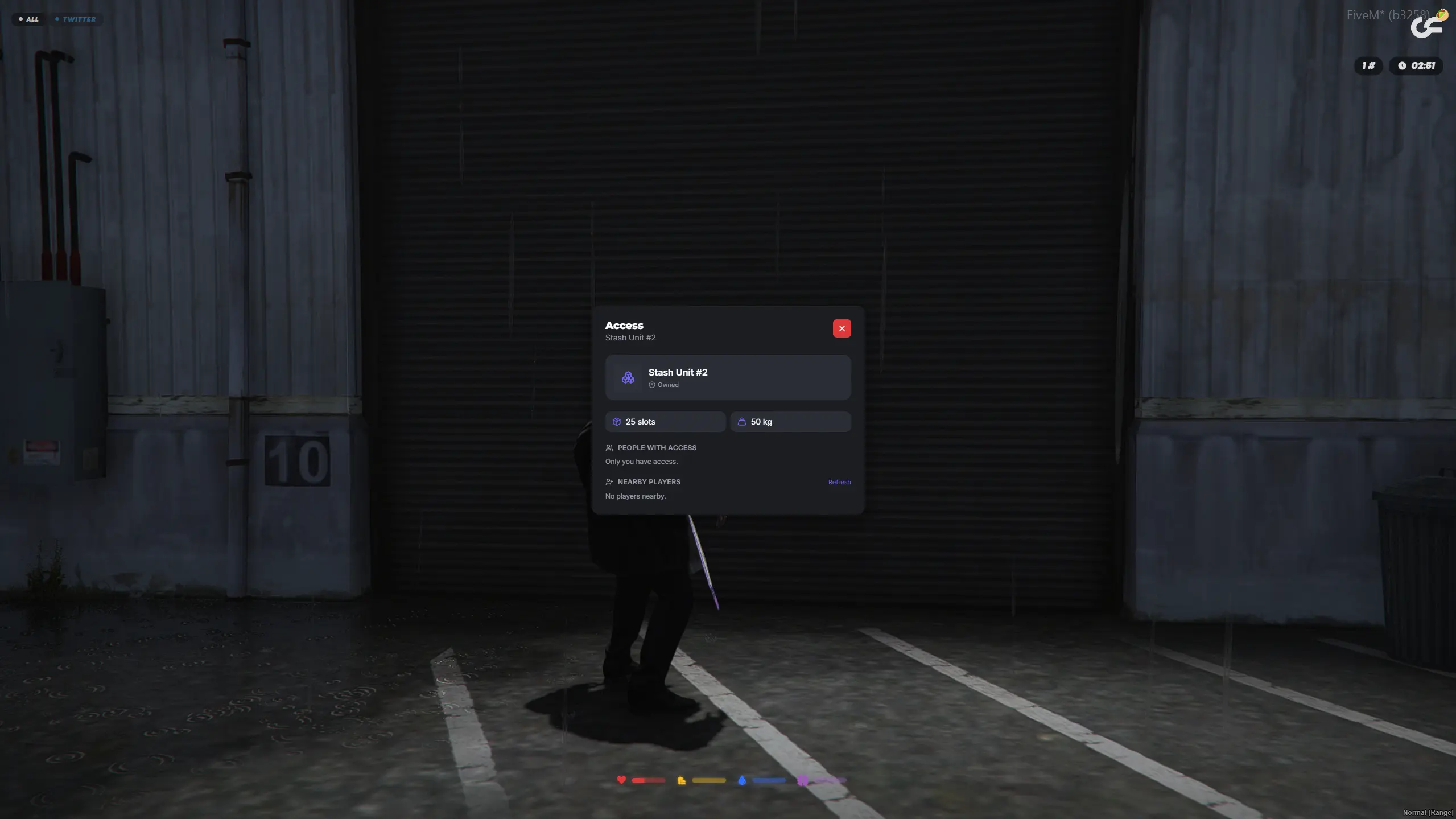
Open a stash you own and the access panel shows its tier, its slot count and its weight limit, who currently has access, and a live list of nearby players you can add. No typing identifiers, no admin ticket: the person you want to share with is standing next to you, so pick them off the list.
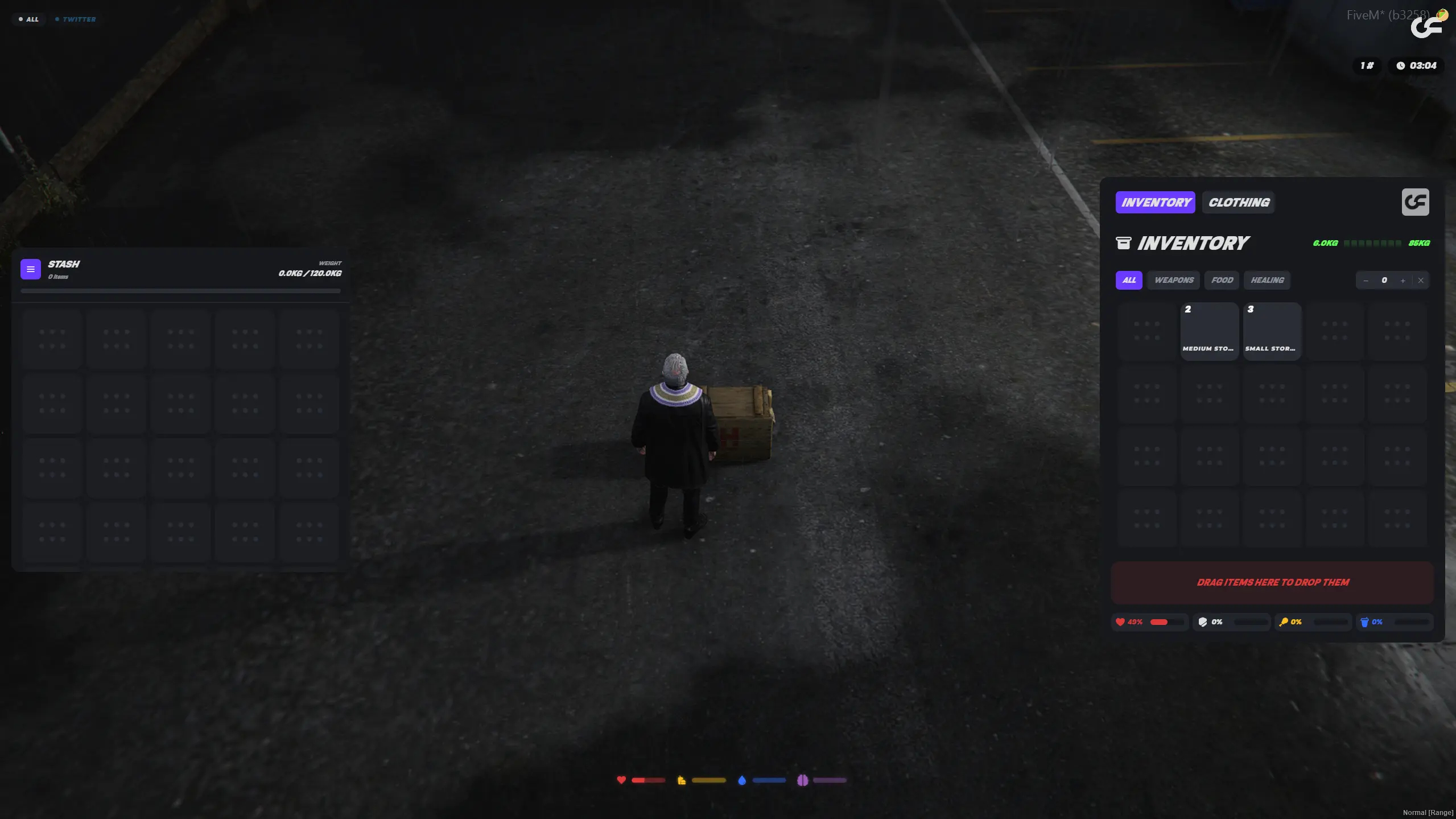
Stashes open in ox_inventory exactly like any other container, with the weight bar, the slot grid and the drag-and-drop your players already know. Nothing new to learn, nothing to reskin, and everything you have built around ox_inventory keeps working.
Works with ESX, QBCore and Qbox, and it is free.

azuki.18
Verified Customer

aussiecop31
Verified Customer

iconicelrey
Verified Customer

alex1223
Verified Customer

imlll51
Verified Customer

vonney
Verified Customer

serverurbanrp
Verified Customer

bythenox
Verified Customer
azuki.18
Verified Customer
aussiecop31
Verified Customer
iconicelrey
Verified Customer
alex1223
Verified Customer
imlll51
Verified Customer
vonney
Verified Customer
serverurbanrp
Verified Customer
bythenox
Verified Customer
azuki.18
Verified Customer
aussiecop31
Verified Customer
iconicelrey
Verified Customer
alex1223
Verified Customer
imlll51
Verified Customer
vonney
Verified Customer
serverurbanrp
Verified Customer
bythenox
Verified Customer

rms1b
Verified Customer

cyph666
Verified Customer

dutchferret
Verified Customer

a_n_o_nymous
Verified Customer

bortecs
Verified Customer

realisticliferp
Verified Customer

darix.
Verified Customer

alx_rx
Verified Customer
rms1b
Verified Customer
cyph666
Verified Customer
dutchferret
Verified Customer
a_n_o_nymous
Verified Customer
bortecs
Verified Customer
realisticliferp
Verified Customer
darix.
Verified Customer
alx_rx
Verified Customer
rms1b
Verified Customer
cyph666
Verified Customer
dutchferret
Verified Customer
a_n_o_nymous
Verified Customer
bortecs
Verified Customer
realisticliferp
Verified Customer
darix.
Verified Customer
alx_rx
Verified Customer
Nearly every FiveM stash script works the same way: you open a config file, paste a set of coordinates you had to fetch in game, name the stash, restart the server, and repeat that for every location. Overflow Stash Creator replaces the whole loop with a panel you open in game. Stand where you want the stash, set it up, save. No file, no restart.
It is a full storage script, not just a personal locker. Access can be Personal, tied to a Job or a Gang, Shared with specific players you pick from a nearby list, or locked behind a Code / PIN. Each stash carries its own slot count and weight limit, an optional map blip with a custom label, and one of four interaction styles: ox_target, a marker with a keypress, a physical prop, or a floating point.
Storage can also be an economy. Flag a stash as a rentable unit, choose a tier, and set a buy price and a rent price, and players manage what they own from a Storage Units screen. Because units are owned rather than hardcoded, storage becomes something players spend money on and care about keeping.
There are placeable storage items too. Give a player a small or medium storage crate, and they can drop it anywhere in the world, rotating it and adjusting its height before confirming placement. Pick the crate back up and the item returns to their inventory.
Free, and compatible with ESX, QBCore and Qbox through ox_inventory. Pairs well with our free ox_inventory redesign if you want the storage UI to match the rest of your server.
Create, edit, move and delete every stash from an in-game admin panel. Nothing to restart.
Personal, Job, Gang, Shared with chosen players, or locked behind a Code / PIN.
Set a tier, a buy price and a rent price, and let players own and manage their own units.
Storage as an item: drop it anywhere, rotate and set the height, pick it back up later.
Stop editing config files to add storage, install the free FiveM Stash Creator and place your next stash in game.
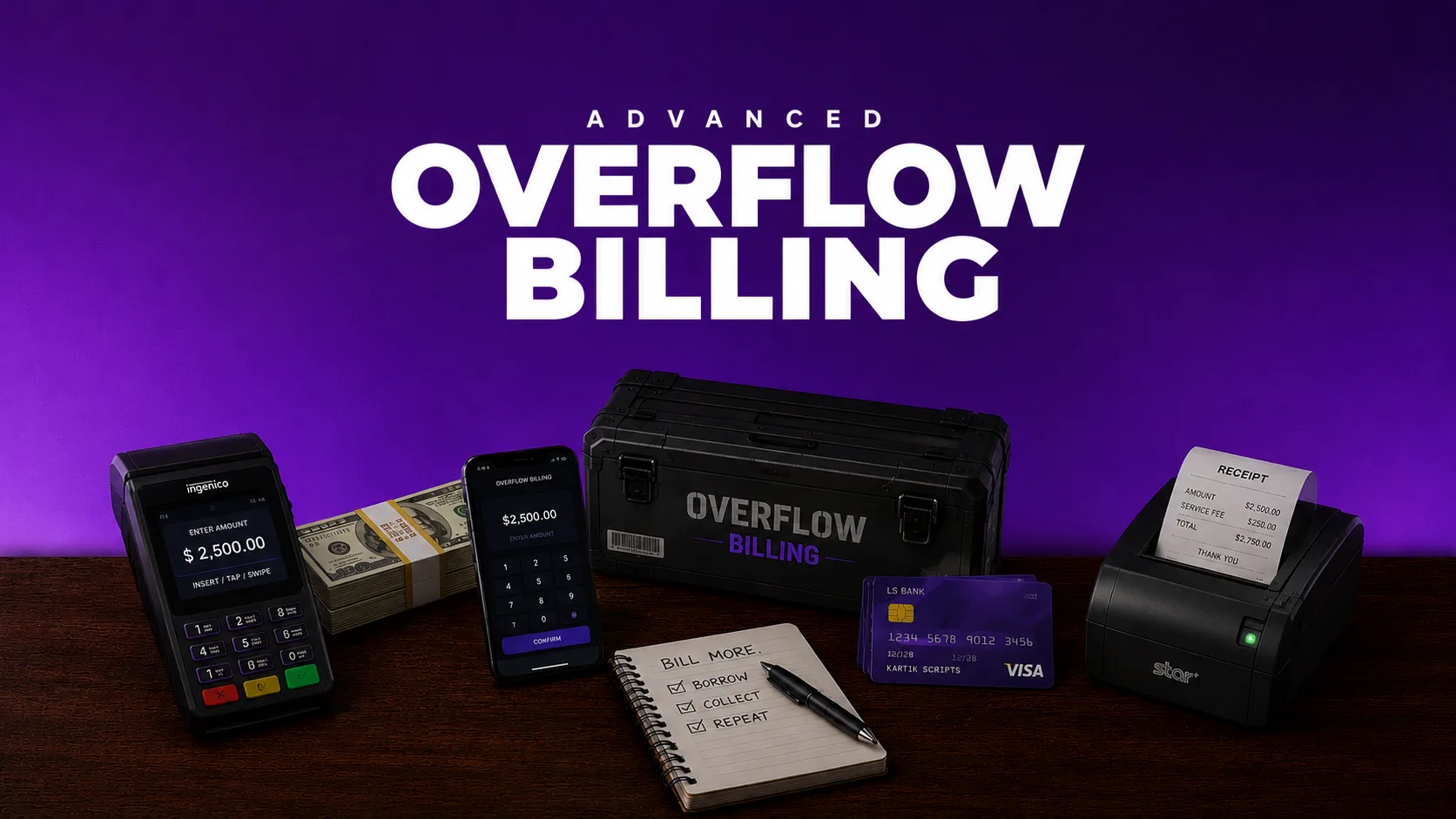
Overflow Billing – Billing & Invoice App for FiveM (ESX, QBCore & Qbox)Give your players and businesses a proper way to charge each other. Overflow Billing is a full invoicing system that installs as a native app in lb-phone and qs-smartphone, and falls back to its own standalone interface when your server has no phone script. Anyone can send a bill, track what they are owed and settle up from one screen.Every player gets a running total of what they owe and what is owed to them, split into Received and Sent, each with its own Pending and History view. Invoices can be a single amount or split into up to ten scheduled payments, daily, weekly, biweekly, monthly or quarterly, with instalment progress tracked automatically until the invoice closes.Businesses are first-class: employees switch between their personal identity and their society, and an in-game admin panel controls whether a job can send or receive invoices at all. Permissions resolve per grade, so a recruit can be blocked from issuing while a manager keeps full control, and each grade can carry its own commission cut, paid to whoever raised the invoice the moment it is settled.Money moves through your framework's own accounts, the company balance on a society invoice and the player's bank on a personal one, and offline recipients are credited directly. Ships with server exports for other resources, English and Spanish locales, and a config-free admin flow stored in the database.
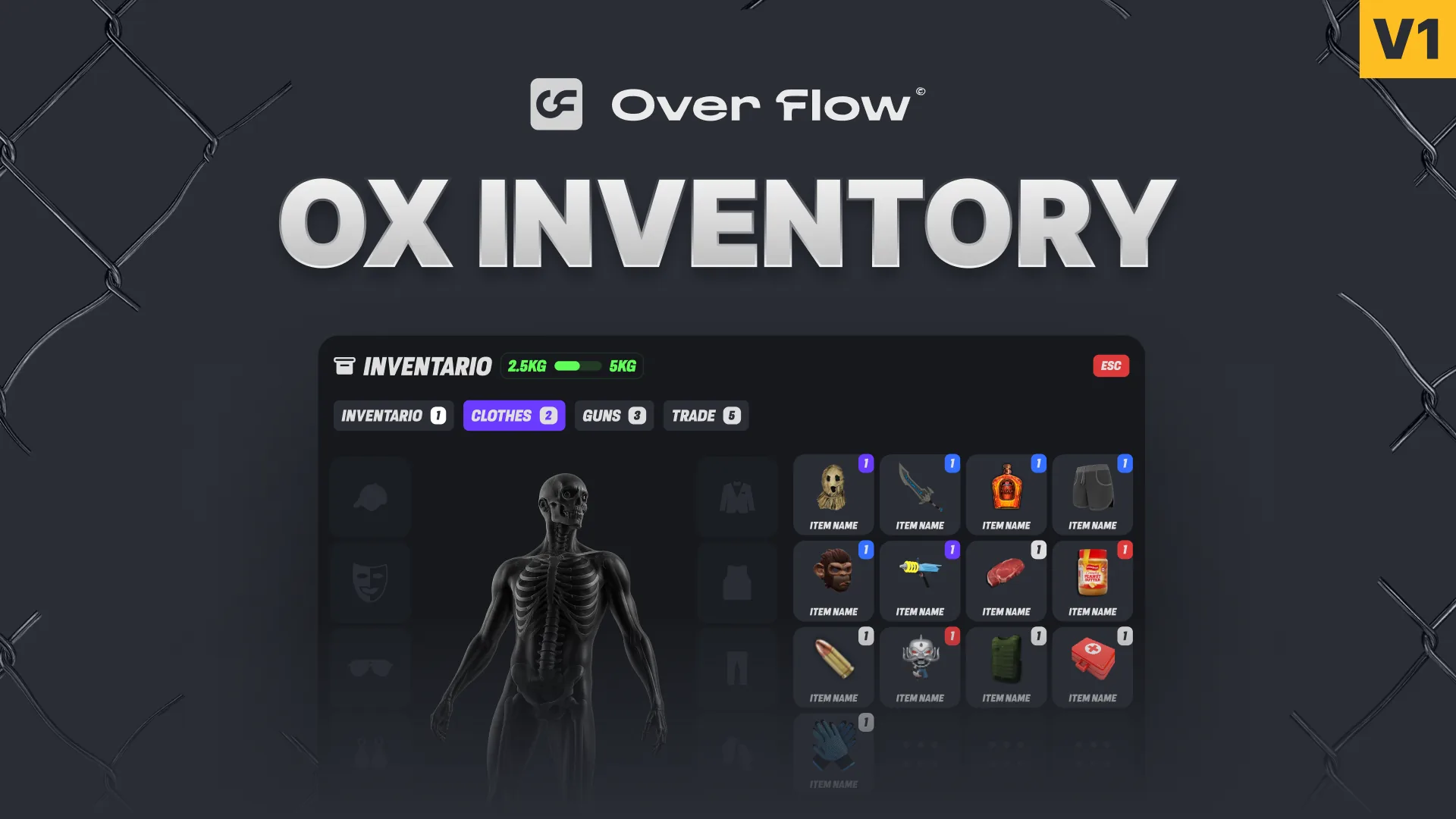
Elevate your FiveM server with Ox Inventory. Includes clothing toggles, physics-based item throwing, and status HUD. Compatible with QB/ESX/QBX.
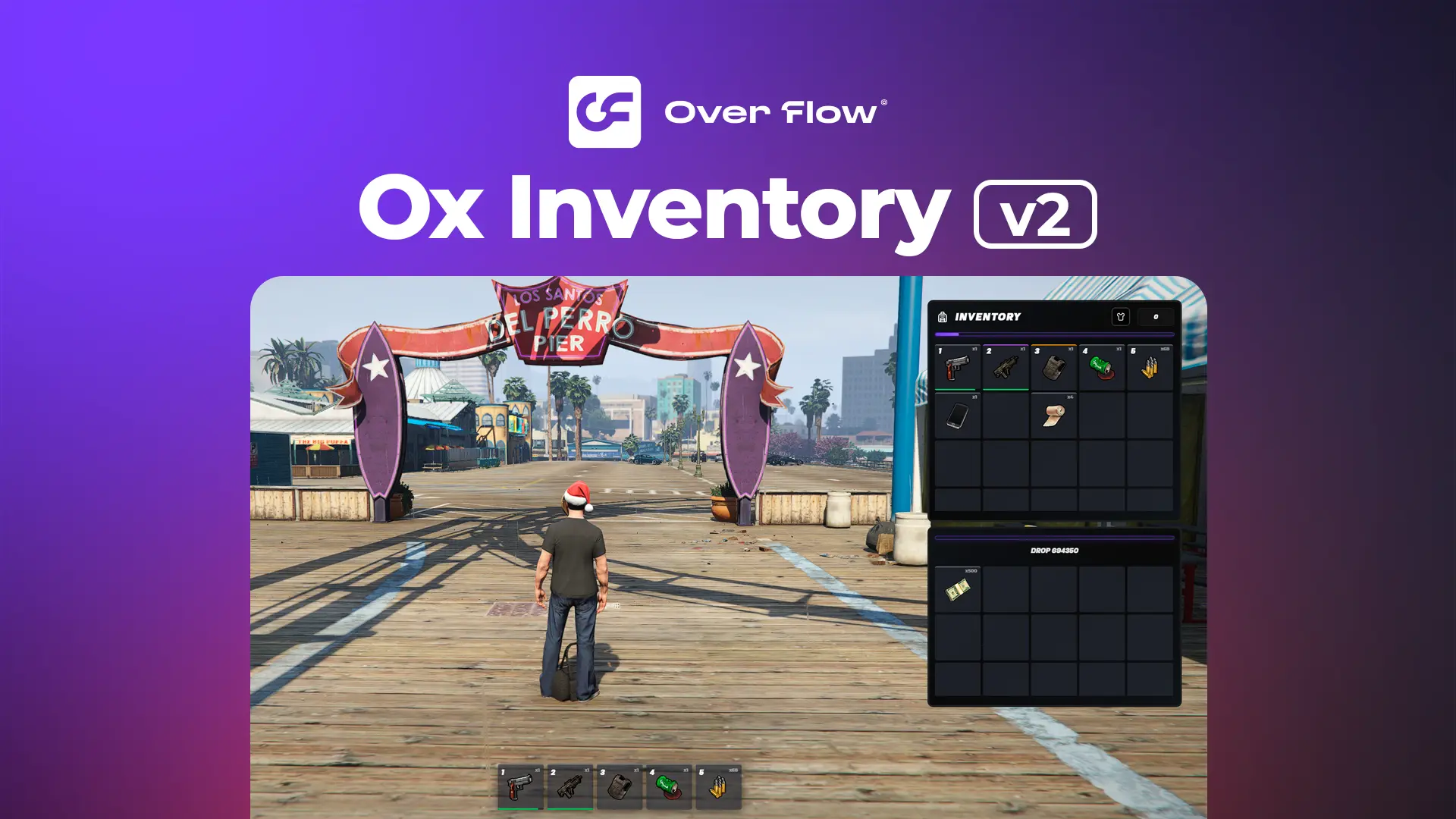
Transform your FiveM server with this stunning visual overhaul of the popular ox_inventory system. This complete UI redesign brings modern aesthetics, smooth animations, and an intuitive interface while maintaining 100% compatibility with the original ox_inventory functionality.Features a sleek, contemporary design with enhanced visual feedback, improved item displays, and polished animations. Perfect for servers looking to upgrade their inventory experience without changing any backend functionality.